The purpose of this message is to remind you that the Fall 2026 schedule of classes is now available for students to begin their registration for next semester. The Provost, deans and I believe that it is important to provide our students with all of their course related information online: schedule of classes, course descriptions, COURSE SYLLABI AND REQUIRED TEXTBOOKS. To facilitate this process, Fall 2026 classes are available in GU360 for faculty and their delegates to load syllabi. Instructions for uploading your syllabus can be found below. You can also sign up for instructor-led training courses online and in person. Current available schedule can be found on the GU360 Training Schedule. New class times are updated as they become available.
The following policy on maintaining instructional activities during unforeseen disruptions was recommended by the Main Campus Executive Faculty and approved by the Provost in July 2014.
“Instructional activities will be maintained during university closures. Faculty members should prepare for the possibility of an interruption of face-to-face instruction by establishing a policy within the course syllabus to maintain instructional continuity in the case of an unforeseen disruption. During a campus “closure,” the regular class time schedule must be honored by all campus departments so that students will remain available for those faculty members who wish to maintain continuous academic progress through synchronous distance instruction.”The intent of this policy is to provide faculty flexibility in maintaining instructional progress in whatever way they deem appropriate to their teaching context. Faculty should include information regarding their instructional continuity plan in their syllabus. Please refer to the “Instructional Continuity” site designed to address the challenges of continuing course work without being able to meet with students face-to-face. Suggested methods for adapting your existing assignments and connecting with your students to continue with coursework are provided here. (http://instructionalcontinuity.georgetown.edu/assignments/)Additionally, please submit your Fall 2026 book orders on the BNC Adoption and Insights Portal. Your login is your net ID and university password. Submitting your order early helps keep your students’ costs down by increasing the bookstore’s opportunity to source used books for your class. If you have any questions or difficulties, please contact the textbook manager, Naomi Trexler.
Please review the instructions for uploading your syllabus. For your convenience, I have also copied them below.
Start by going to the GU360 website. From there, click on the login button.
Login with your NetID and NetID password. You will also have to authenticate with DUO. You will then be prompted to select the site you want to visit. Choose GUFaculty.
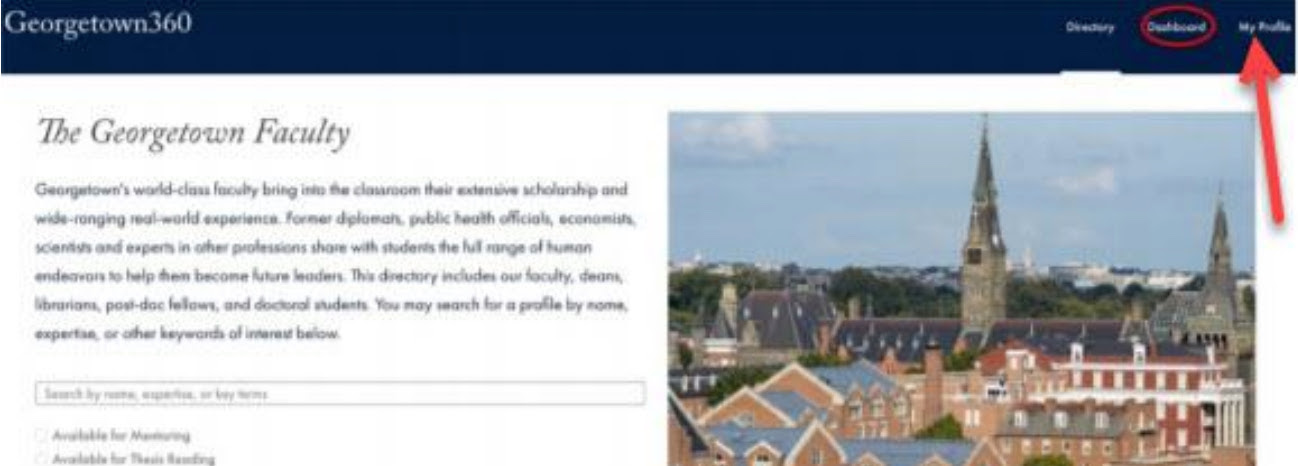
Once you are in GUFaculty, click on the My Profile option in the upper right corner, next to the word Dashboard.
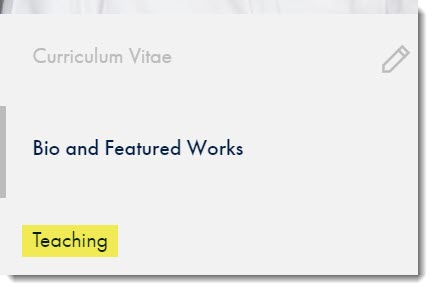
Scroll down on the left side, past your picture and Bio and Featured Works, and click on Teaching.
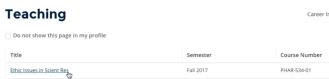
You will see a listing of the courses you are teaching this semester and courses that you have taught in the past. Click on the link of the class you want to add the syllabus to.
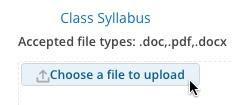
You will see the Course Description, an area where you can add a link to the Class Website (be sure to include the entire URL), and a Class Syllabus section. Within the Class Syllabus section, you can upload the course syllabus by clicking “Choose a file to upload.”
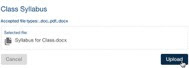
A new screen will appear that will let you choose the file you would like to upload from your computer. Click on the file, and then click the word “Open.” Your file will begin to upload. Please make certain that the file you upload is either a PDF or a Word Document. Once you are certain this is the document you want to use, click on Upload.
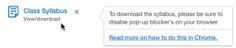
Below is the screen you will see confirming your upload. The file is on the left side. There is also a note on the right side explaining that your pop-up blocker on your browser needs to be disabled in order to download the file.
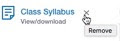
If you already have a syllabus, but wish to replace it with another one, you will see the syllabus document name with an “x” next to it. Click on the “x” to delete the existing syllabus.
You will immediately be prompted to add another document.
If you have any questions, please write to gu360help@georgetown.edu. If you have questions regarding your course description and section details, please contact your department administrator or the Registrar’s scheduling team at schedulechanges@georgetown.edu
Thank you very much for your support and cooperation with the syllabi and textbook reporting requirements.
Warm regards, Annamarie Bianco Associate Vice President and University Registrar